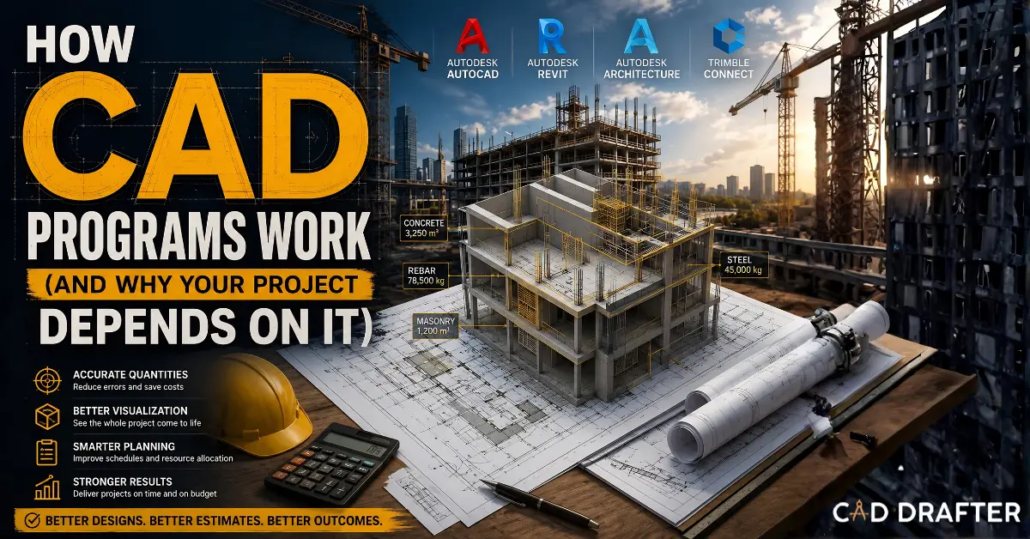
How CAD Programs Work (And Why Your Project Depends on It
The construction industry doesn’t build with concrete and steel anymore. It is based on data in the modern world. Long before a single excavator arrives on-site, the entire structure has already been built, tested, and stressed in a digital sandbox. But how do CAD programs work, exactly?
If you are investing in offshore CAD services or partnering with a top-tier construction drafting company, you need to understand the engine powering your project. We aren’t talking about clicking buttons or learning keyboard shortcuts. On the contrary, we are exploring the technical architecture, mathematical models, and geometric kernels that turn raw code into centimeter-accurate, clash-free, constructible realities. Let’s lift the hood!
The Geometric Modeling Kernel
Every time you draw a line, extrude a face, or sweep a profile, you are feeding complex algebraic equations into the CAD software’s core component. This component is called the geometric modeling kernel.
Think of the kernel as the central nervous system of your 3D CAD modeling environment. A kernel is a sophisticated piece of software embedded inside the CAD program. Its sole job is to process, calculate, and display 3D geometry. When an engineer specifies a 4-inch pipe intersecting a concrete shear wall, the kernel calculates the exact Boolean operation required to represent that physical clash mathematically.
Without a robust kernel, a CAD design drafting service would grind to a halt. You’d get inaccurate models, failed exports, and a software crash every time you tried to render a complex mechanical assembly.
Here is a quick look at three big geometric kernels powering modern design in 2026:
| Kernel Name | Developer | Primary Platforms | Core Strength in Engineering |
| Parasolid | Siemens | SolidWorks, NX, MicroStation | Unmatched precision for complex mechanical assemblies and solid modeling. |
| ACIS | Spatial Corp (Dassault) | AutoCAD, BricsCAD, Cimatron | Highly adaptable; excellent for 3D modeling and integration with BIM environments. |
| CGM | Dassault Systèmes | CATIA, 3DEXPERIENCE | Advanced surface modeling; handles massive, highly complex architectural datasets. |
When a drafting and modeling company transfers files across different software platforms (like moving from an architectural model in Revit to a fabrication-level shop drawing in SolidWorks) the translation happens between these kernels. If the kernels don’t play nice, data gets lost. This is exactly why specialized translation algorithms are critical for seamless construction drafting.

B-Rep vs. Mesh Data
So, the kernel does the heavy lifting. But how does it actually represent a physical object like a steel I-beam on your screen?
In the concepts of advanced CAD architecture, geometry is primarily defined in two distinct ways:
- Boundary Representation (B-Rep)
- Mesh Data
Boundary Representation (B-Rep)
B-Rep is the undisputed king of precision engineering. Imagine an enclosed room. B-Rep defines a room not by the empty space inside, but by the boundaries, walls, floor and the ceiling.
In CAD, B-Rep describes a solid object mathematically by defining its limits (faces, edges, and vertices). Because it uses precise mathematical equations (specifically Non-Uniform Rational B-Splines (NURBS), a B-Rep model can be zoomed in on infinitely without losing resolution. It is mathematically perfect.
Why it matters:
When producing shop and fabrication drawings, absolute exactness is non-negotiable. A CNC machine or a laser cutter relies on the flawless mathematical curves of a B-Rep model to fabricate structural steel to the millimeter.
Mesh Data (Polygonal Modeling)
Mesh data takes a totally different approach. Instead of using fluid mathematical curves, it builds shapes using thousands (or millions) of tiny flat polygons (usually triangles).
Think of it like a disco ball. From a distance, it looks like a perfectly smooth sphere. But up close, you see it is just hundreds of flat mirrors stitched together.
Why it matters
Mesh data is incredible for point cloud to CAD conversions. When a surveyor scans a physical job site with centimeter-accurate GNSS site control technology, the laser scanner generates a dense mesh of the environment. The CAD program then interprets this mesh, allowing draftspersons to build highly accurate as-built documentation over the existing topography.
The Parametric Design Engine: Rules, Relations, and Constraints
Old-school 2D CAD drafting was essentially a digital pencil. If you drew a window ten feet from a door, and then the client wanted to move the door, you had to manually erase and redraw the window.
Modern 3D CAD programs don’t work like that. They operate on a parametric design engine.
What Is Parametric Modeling?
Parametric modeling is built on relationships. Instead of just drawing a shape, you apply rules, also known as constraints. You tell the software, “This window must always remain exactly three feet from this door.”
If the architect moves the door, the CAD program’s underlying algebraic solver automatically recalculates the geometry and shifts the window. It cascades through the entire model instantly.
This is where the true power of a construction drafting company lies. By building intelligent, parametric models, we drastically reduce human error.
Consider the implications for code compliance. Building codes are merciless. ADA compliance dictates specific clearances for hallways and doors. Fire codes mandate specific egress routes and material ratings. By embedding these strict rules directly into the parametric parameters of the CAD model, the software acts as an active partner. It simply will not allow an engineer to place a structural column or a mechanical duct that violates the predefined spatial constraints.
The Three Pillars of Parametric Constraints:
- Geometric Constraints: Parallel, perpendicular, tangent, and concentric rules. (e.g., ensuring a plumbing line always runs perfectly parallel to the floor joists).
- Dimensional Constraints: Exact distances, angles, and radiuses. (e.g., ensuring a load-bearing wall remains exactly 8 inches thick, regardless of how long it is stretched).
- Algebraic Constraints: Using formulas. (e.g., establishing that the width of a structural footing must always equal exactly 1.5 times the width of the wall it supports).
The Core Language: File Formats and Data Exchange
A CAD program is only as good as its ability to share information. Construction is a collaborative discipline. The architect, the structural engineer, the MEP (Mechanical, Electrical, Plumbing) contractor, and the fabricator rarely use the exact same software.
This requires the CAD program’s kernel to translate its internal mathematics into universal languages.
- DWG and DXF: The standard bearers for 2D line work and floor plans. They are lightweight, ubiquitous, and essential for basic site layouts.
- STEP (Standard for the Exchange of Product model data): This is a 3D format that captures the pure B-Rep mathematical geometry. When an offshore CAD service sends a mechanical assembly to a local fabricator, a STEP file ensures the precise volume and surfaces remain perfectly intact.
- IGES (Initial Graphics Exchange Specification): While slightly older, it remains a critical format for transferring complex surface models between different proprietary kernels.

Cloud-Native CAD and Artificial Intelligence (The 2026 Reality)
The CAD landscape has radically shifted. We’ve moved far beyond localized desktop software tied to a single machine. Today, how CAD programs work is deeply intertwined with cloud architecture and AI integration.
If you are looking for advanced CAD design drafting services right now, you are operating in a decentralized, hyper-connected environment.
The Cloud-Native Shift
Historically, rendering complex 3D CAD modeling required massive local computing power. The kernel lived on your hard drive, eating up RAM.
In 2026, CAD is definitively cloud-native. The intense geometric kernel computation is offloaded to remote server farms. This means a structural engineer in New York can collaborate on the exact same 3D model, in real-time, with an electrical contractor in London and a mechanical drafter in Tokyo. There is no waiting for gigabytes of DWG files to transfer. There are no version control nightmares.
The synchronization of cloud-based CAD collaboration is the lifeblood of modern clash detection. In the past, the structural team and the HVAC team worked in total isolation. Today, their models are overlaid continuously in the cloud. If an air duct intersects a steel beam, the software flags the clash instantly, avoiding a schedule-killing mistake before the concrete is even poured.
AI and Generative Design
Artificial intelligence isn’t just a marketing buzzword; it is rewriting the fundamental logic of CAD programs. Generative design turns the traditional engineering workflow upside down. Instead of a human drawing a solution, the human inputs the problem.
You tell the CAD software:
“I need a structural support bracket. It must hold 5,000 lbs. It must connect to these four specific bolt holes. It must be manufactured using localized 3D printing, and it needs to weigh as little as possible.”
The AI-driven CAD engine then calculates tens of thousands of variations. It uses finite element analysis (FEA) to test the stress limits and load paths of each variation, ultimately spitting out a design that is optimized far beyond what a human could manually calculate. It often looks incredibly organic, like a piece of bone rather than a machined part. But it is mathematically flawless.
For construction estimating and 5D BIM, this AI integration is a total game-changer. As the AI optimizes the structural design, it simultaneously updates the material quantities, instantly feeding that volumetric data into the cost estimating software. This is the definition of advanced project management, tying real-time material volumes directly to localized pricing models without missing a beat.
Why Technical Specifics Matter
Understanding the geometric kernels, the B-Rep mathematics, and the parametric solvers is fascinating. But what does it actually mean for your construction project? Simply put, it means predictability.
When you strip away the sales pitches and look purely at the execution of CAD drafting, the technical superiority of the software translates directly to a smoother physical build.
● Shop and Fabrication Drawings
Because the underlying B-Rep engine calculates lines to infinite precision, the extraction of 2D shop drawings from a 3D model is perfect. Fabricators receive drawings where every weld symbol, every bolt hole, and every bend allowance is mathematically verified.
● Mechanical Drafting & Solar Integration
When modeling complex solar array installations on commercial roofs, modern CAD software calculates sun paths, structural load distribution, and electrical routing simultaneously. If a change is made to the roof pitch, the parametric engine instantly readjusts the angle of every single solar panel to maintain optimal efficiency.
● As-Built Workflows
Integrating point cloud data into the CAD kernel allows for the creation of Digital Twins. It creates an exact virtual replica of the finished building (right down to the hidden plumbing lines) which is vital for future maintenance, renovations, and lifecycle management.
Get Models From Advanced CAD Programs At Low Costs!
Discipline-Specific Mechanics
A generic drawing tool is useless to a specialized contractor. The true brilliance of how CAD programs work lies in their ability to adapt their mathematical rulesets to specific construction disciplines. It isn’t just about drawing a shape but about understanding what that shape does.
A structural engineer doesn’t care about the same data points as a solar installer. The CAD engine morphs to serve the user.
MEP Mechanical Drafting and Clash Detection
In the world of Mechanical, Electrical, and Plumbing (MEP), space is premium currency. When you use professional code compliant drafting services, the CAD software isn’t just modeling ducts and pipes. It is actively running spatial algorithms. Remember those geometric kernels we talked about? In MEP, they are put to the ultimate test through automated clash detection.
Automated Clash Detection in a 3D MEP Model
Instead of finding out a 12-inch HVAC duct runs straight through a fire sprinkler line on the job site, the software highlights the intersection in bright red on your screen. The algorithm literally calculates the intersecting volumes of two B-Rep solids and flags the boolean overlap.
Here is what the software is silently checking in the background:
- Hard Clashes: Two objects physically occupying the same space.
- Soft Clashes: An object violating the required buffer zone of another (e.g., an electrical panel missing its OSHA-mandated 36-inch clearance).
- Workflow Clashes: Scheduling conflicts where a piece of equipment is scheduled to be installed before the floor beneath it is poured.
Solar Panel Installation Workflows
The renewable energy sector pushes CAD to its absolute limits. Modeling a commercial solar array isn’t just about slapping rectangles onto a roof plan.
Advanced solar CAD workflows integrate geospatial data directly into the parametric engine. The software pulls localized weather data, calculates the exact trajectory of the sun on any given day of the year, and simulates the shadows cast by surrounding buildings or HVAC rooftop units.
If a parapet wall casts a shadow that will reduce a specific panel’s efficiency by 14% in December, the software flags it. This allows designers to optimize the stringing architecture and inverter placement before a single bracket is mounted.
Structural and Architectural Code Compliance
We’ve moved past redundant company info in title blocks. Today’s architectural CAD models are deeply embedded with service-specific details and code compliance logic.
If a draftsperson tries to place a staircase, the parametric ruleset kicks in. The software knows the International Building Code (IBC) requires a maximum riser height of 7 inches and a minimum tread depth of 11 inches. If the drafted stairs violate this ratio, the program rejects the input. It forces compliance at the point of creation.
5D BIM and Cost Estimating
A modern CAD file is not actually a drawing but a relational database disguised as a 3D model.
This brings us to the evolution of Building Information Modeling (BIM). When you look at a wall in a standard 2D CAD program, you see two parallel lines. When you look at a wall in a BIM environment like Revit, you are looking at a data container.
This data-rich environment unlocks 5D BIM workflows.
- 3D: The spatial model (Width, Height, Depth).
- 4D: Scheduling and Time (When it gets built).
- 5D: Cost Estimating (How much it costs).
By linking the mathematical geometry directly to construction estimating software, cost estimators no longer have to manually count doors or use scale rulers on paper blueprints.
If the architect stretches a building by 20 feet, the CAD engine recalculates the new square footage of the drywall, updates the material takeoff schedule instantly, and feeds that fresh quantity directly into the cost estimator’s pricing matrix using localized zip code logic. It is seamless, lightning-fast, and leaves zero room for manual counting errors.
| Dimension | Focus Area | What the CAD Software Controls |
| 3D | Spatial Geometry | Clash detection, constructability, B-Rep accuracy. |
| 4D | Project Phasing | Linking 3D components to a Gantt chart or construction schedule. |
| 5D | Cost Estimating | Automated |
GNSS and Job Site Automation
So, the model is perfect. The costs are locked in. How does all this digital math actually hit the dirt? This is where the magic happens. We are no longer printing out 24×36 paper plans and handing them to a guy with a tape measure and a wooden stake. The CAD model now communicates directly with the heavy machinery on the job site.
Using centimeter-accurate GNSS technology, the exact coordinates from the CAD software are beamed to the onboard computers of excavators, bulldozers, and robotic total stations.
When an excavator digs a trench for a foundation footing, the operator isn’t guessing the depth. They are looking at a screen in the cab that displays the CAD model overlaid onto the real world. The machine’s hydraulics can even be automated by the software—preventing the bucket from digging even one inch deeper than the CAD file dictates.
This keeps the machinery moving 24/7. No stopping to check grades or waiting for surveyors to pound stakes. The digital model and the physical dirt become one continuous workflow.
Conclusion
Understanding how CAD programs work is about recognizing the shift from manual drafting to mathematical simulation. Whether it is a geometric kernel resolving a complex surface, a parametric engine enforcing building codes, or a 5D BIM model driving your cost estimating logic, the software is the beating heart of modern construction.
For a construction drafting and modeling company, mastering these tools isn’t just an operational necessity. It is the only way to guarantee precision, protect profit margins, and turn complex data into constructible reality.
Frequently Asked Questions
What is a geometric modeling kernel in CAD?
It is the core mathematical software engine inside a CAD program. It calculates, processes, and displays complex 3D geometry, ensuring lines, curves, and solid objects are physically accurate and mathematically precise.
How does parametric modeling differ from basic 2D drafting?
Basic drafting uses static lines. Parametric modeling uses intelligent rules and constraints. If you change one dimension, the software automatically recalculates and adjusts the connected geometry to maintain the established relationships.
What is the difference between B-Rep and Mesh data?
B-Rep uses precise mathematical equations to define the exact boundaries of a solid object, perfect for fabrication. Mesh data uses thousands of flat polygons to approximate shapes, ideal for 3D scanning.
How does CAD software help with MEP clash detection?
The software calculates the physical volume of mechanical, electrical, and plumbing elements in 3D space. If a duct and a pipe intersect, the software automatically flags the collision before construction begins.
What is a 5D BIM workflow?
It integrates the 3D model with time (4D) and cost estimating (5D). As the 3D design changes, the software automatically updates the material quantities and live costs in real-time.
Why is code compliance built into modern CAD?
Modern CAD uses parametric rules to restrict design flaws. The software can be programmed to reject elements that violate safety standards, like improper stair dimensions or inadequate electrical panel clearances.
How does CAD integrate with solar panel installations?
CAD simulates real-world sun paths, localized weather, and structural loads. It predicts shadow casting from surrounding objects, allowing engineers to optimize panel placement for maximum energy efficiency before installation.
What is centimeter-accurate GNSS in construction?
It is advanced GPS technology that links the CAD model directly to heavy machinery. It guides excavators and bulldozers with centimeter-level precision, eliminating manual staking and speeding up site work.