
How to Audit AI-Generated CAD Models For Ghost Geometry (Before It Breaks Your CNC Toolpaths)
You hit cycle start, the coolant floods the enclosure, and the spindle spins up to 10,000 RPM. Finally, the endmill smoothly approaches the raw stock. For the first few passes, everything looks perfect. Then, without warning, the machine makes a horrifying crunching sound. The spindle stalls, the tool shatters, and your workpiece is ruined.
What went wrong? You check the G-code and the work offsets. Everything seems mathematically flawless.
But it wasn’t the machine. And it wasn’t your CAM programmer. The culprit was hiding inside the 3D model itself. A microscopic, invisible error left behind by an AI generative drafting tool messed it all up.
Let’s learn what ghost geometry actually is, why it completely paralyzes CAM software. This guide will provide you with an exact step-by-step auditing framework to clean up AI-generated models before they ever hit the shop floor.
What Exactly is “Ghost Geometry”?
Ghost geometry isn’t some paranormal glitch in your graphics card.
It is a blanket term for non-physical, mathematically impossible, or zero-tolerance artifacts that exist within a CAD file’s data structure, but often don’t render visibly on a standard shaded screen.
When a human drafter builds a model parametrically (extruding sketches, applying fillets, Boolean-cutting solids), the CAD software calculates precise mathematical boundaries (B-reps or Boundary Representations).
AI, on the other hand, often works differently. Many AI drafting tools generate geometry using voxels, point cloud processing, or complex polygon meshes (like STLs or OBJs), which are then hastily converted into solid bodies (STEP or IGES files) via automated algorithms. This translation process is messy. It relies on approximation. And approximation breeds errors.
Here are the specific types of ghost geometry you are looking for:
1. Non-Manifold Edges
In the physical world, an edge can only connect two faces. Period. Think of the edge of a cube; it connects the top face to the side face. Non-manifold geometry occurs when a single edge connects three or more faces, or when two separate 3D bodies meet at exactly one infinitesimally small mathematical point or line. AI generators frequently create these when trying to optimize material thickness, resulting in a model that looks fine on screen but physically cannot exist.
2. Zero-Thickness Faces and Micro-Gaps
Imagine a gap between two surfaces that is 0.00001 inches wide. Your eyes won’t see it. Your monitor’s resolution can’t display it. But your CAM software’s toolpath engine will absolutely find it. AI algorithms often fail to stitch adjoining surfaces perfectly, leaving microscopic tears in the model’s “skin.” Conversely, they might create a face with zero volume, a 2D plane trapped inside a 3D solid.
3. Coplanar Overlaps (Z-Fighting)
This happens when the AI generates two distinct surfaces that occupy the exact same coordinate space. If you’ve ever rotated a 3D model and seen a weird, flickering, glitchy texture on a flat surface, you are witnessing Z-fighting. The rendering engine is literally struggling to decide which face is “in front” because they are perfectly overlapping.
4. Inverted Surface Normals (Inside-Out Geometry)
Every face in a 3D model has a normal and invisible vector pointing outward, telling the software, “This is the outside of the part.” AI mesh generators frequently get confused and flip these normals inward. To a human looking at a grey solid, it looks normal. To a CAM program, it looks like a black hole where solid material suddenly becomes empty space.
How Ghost Geometry Destroys CNC Toolpaths
Why go through the hassle of an audit? Because CAM (Computer-Aided Manufacturing) software does not understand intent. It only understands data.
When a human looks at an AI-generated bracket with a microscopic gap, they see a solid piece of metal. When Mastercam, Fusion 360, or SolidCAM look at that same gap, they see a canyon. The software attempts to calculate a toolpath based on absolute mathematical boundaries. When those boundaries are broken, chaos ensues.
Here is exactly how these artifacts ruin the machining process:
The Infinite Calculation Loop
Have you ever clicked Generate Toolpath on a relatively simple 3D adaptive clearing operation, only to watch your CPU max out for 45 minutes while the software hangs? Nine times out of ten, the software is stuck in a mathematical infinite loop trying to calculate a stepover across a non-manifold edge. The algorithm crashes trying to resolve an impossible geometric calculation.
Erratic Retracts and Spasmodic Rapids
When a CAM engine encounters an inverted surface normal, it thinks the tool has suddenly entered the inside of the part. To “save” the tool from what it perceives as a collision, the software will violently command an emergency retraction to the clearance plane. The result is a G-code program full of unnecessary, jerky Z-axis movements. Your machine ends up bouncing up and down like a sewing machine, adding hours to your cycle time and leaving horrible witness marks on the surface finish.
Catastrophic Plunging (The Tool Killer)
This is the worst-case scenario. If ghost geometry creates a zero-thickness gap right in the middle of a pocketing operation, the CAM software might perceive that gap as a hole that goes all the way through the part. The engine will confidently write a line of code commanding your $150 carbide endmill to plunge at full feed rate straight down into solid titanium.
You cannot afford to let AI dictate your machining tolerances. You have to interrogate the model.
Phase 1: The Visual and Heuristic Pre-Audit
Before you start throwing heavy analytical software tools at the model, you need to perform a rapid visual triage. A trained eye can spot the telltale signs of AI-generated ghost geometry in about sixty seconds just by manipulating the viewport.
Here is your manual auditing checklist.
1. The Wireframe Interrogation
Shaded views are liars. Modern CAD software uses advanced lighting and smoothing groups to make models look pretty for client presentations. To see the truth, you must strip away the shading.
- Switch your viewport from “Shaded with Edges” to “Wireframe.“ Look for unusually dense clusters of lines. An AI will often generate thousands of tiny, faceted triangles to represent a simple curve, whereas a clean parametric model would use a single spline.
- Look for dark edges. In wireframe mode, if one edge appears significantly thicker or darker than the rest, it almost always means there are multiple coplanar edges sitting directly on top of each other.
2. The Zebra Stripe Surface Analysis
If the AI generated a sweeping, organic surface (common in generative design for aerospace or automotive parts), you need to check for surface continuity (G1 and G2 continuity).
- Turn on Zebra Stripes (or Curvature Combs). This project alternates black and white lines across the model’s surface.
- If the stripes flow smoothly across the boundaries of adjoining faces, the geometry is clean.
- If the stripes abruptly break, jaggedly shift, or form sharp V-shapes at a seam, the AI has failed to make the surfaces tangent. While this might not crash the machine, it will result in a faceted, ugly surface finish when you run a 3D contour toolpath.
3. The Section View Sweep
Ghost geometry loves to hide inside the solid.
- Activate your Section Analysis tool. * Slowly drag the cutting plane through the model on the X, Y, and Z axes.
- You are looking for internal voids that shouldn’t be there, 2D planes floating inside the material, or completely disconnected internal structures. AI topology optimization tools are notorious for leaving disconnected “floating islands” of material inside hollow cavities.
Phase 2: Algorithmic Geometry Diagnostics
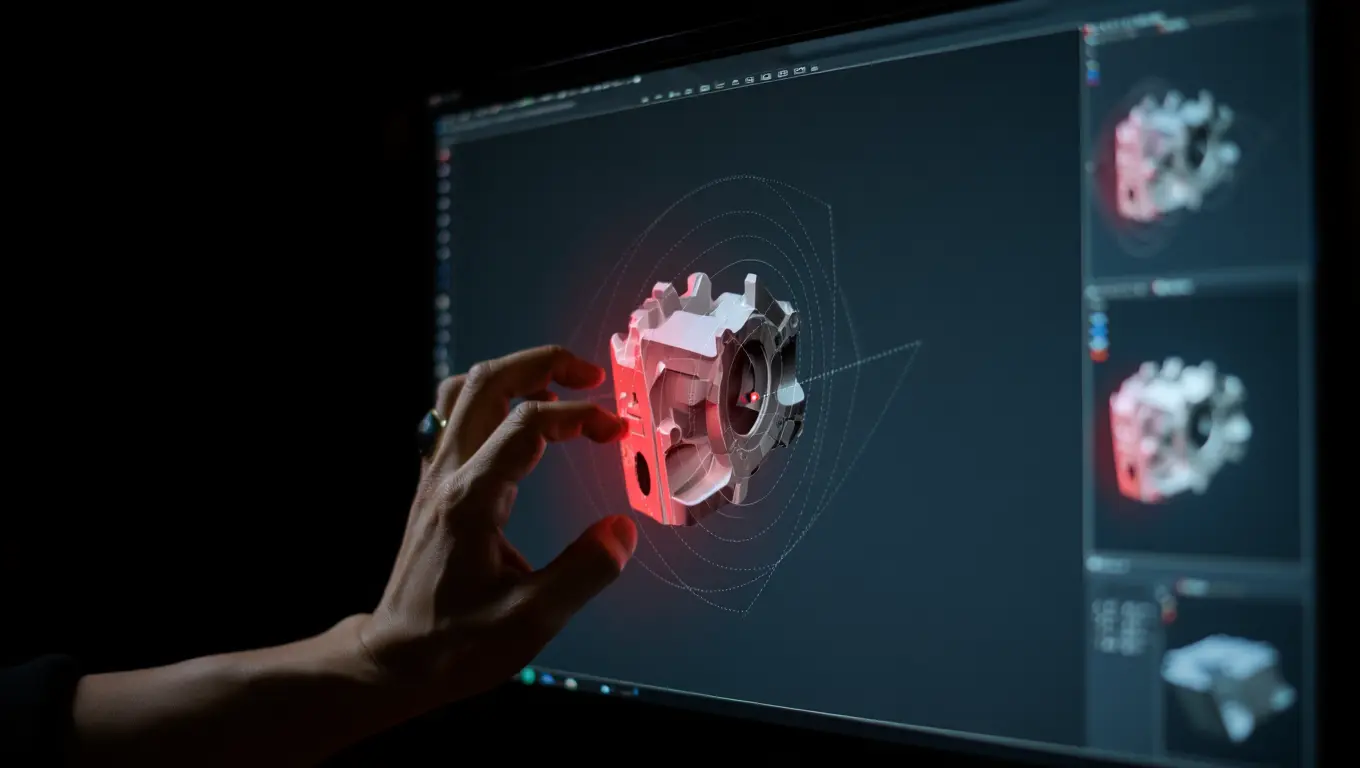
Once the model passes the visual sniff test, it’s time to let the software do the heavy lifting. You cannot trust your eyes to find a 0.0001-inch gap. Every major professional CAD package has native diagnostic tools designed to audit solid bodies.
Here is how to deploy them effectively against AI-generated CAD files.
SolidWorks
If you are auditing in SolidWorks, the Check Entity tool is your best friend. But you have to configure it correctly.
- Navigate to Evaluate > Check.
- Do not just run the default check. In the parameters, explicitly check the boxes for Invalid Faces, Invalid Edges, Short Edges, and Minimum Radius of Curvature.
- Set your “Short Edge” tolerance to match your machining tolerance (e.g., 0.001 inches).
- When you hit check, the software will highlight the exact coordinates of the ghost geometry. AI models will almost always flag high for “Short Edges.” These are the tiny, fragmented lines that cause CAM software to stutter.
Fusion 360
Fusion 360 is widely used in CNC shops, and it handles imported AI meshes slightly differently.
- Go to the Surface workspace.
- Use the Validate tool. This tool specifically hunts for unstitched edges and intersecting boundary loops.
- If the model was originally an AI-generated mesh (STL/OBJ) that was converted to a B-rep, use the Mesh workspace first. Run the Make Closed Mesh or Repair command. Fusion will color-code the mesh: Red means inverted normals, blue means holes, and magenta means self-intersecting (ghost) geometry.
The Ultimate Stress Test
If you are still unsure if a solid model is truly watertight, use this old-school drafter’s trick:
- Export the solid body as an extremely high-resolution STL file.
- The algorithm that converts mathematical solids into polygonal STLs is highly sensitive to errors.
- If the model has micro-gaps or non-manifold edges, the STL export will either fail completely, or the resulting file size will be astronomically huge compared to its geometric complexity. If a simple bracket exports as a 400MB STL file, you have a massive amount of hidden ghost geometry inflating the polygon count.
Phase 3: The Healing Process (Sanitizing and Rebuilding)
Finding the microscopic anomalies is only half the battle. Once you’ve highlighted a cluster of non-manifold edges or located a zero-thickness face deep inside your part, you have to fix it. Sending a known-bad file to your CAM software and hoping the toolpath engine “figures it out” is a recipe for scrapped stock.
Here is your battle-tested hierarchy for repairing AI-generated ghost geometry, ranging from quick surgical fixes to complete structural overhauls.
Tactic 1: The “Delete Face and Patch” (Surgical Repair)
When the AI does 95% of the job perfectly but leaves a jagged, torn mesh patch in one specific corner, don’t throw the whole model away. Treat it like digital surgery.
Most modern parametric modeling tools have incredibly robust surface modeling environments.
1. Isolate the damage
Use your software’s Delete Face command (ensuring the “Heal” or “Patch” option is temporarily turned off). Select the glitching faces.
2. Rip it out
Deleting the faces turns your solid body back into a hollow surface model. This is actually what you want.
3. Rebuild the skin
Use the Boundary Surface or Lofted Surface tools to manually select the clean, healthy edges surrounding the hole.
4. Stitch it shut
Knit the new surface patches back together with the main body and form a solid. You have successfully bypassed the AI’s math error with clean, human-defined geometry.
Tactic 2: Shrink-Wrapping and Voxelization (The Brute Force Method)
Sometimes, an AI-generated model is just a disaster under the hood. It might look like a brilliant topology-optimized bracket, but the data structure is an unfixable rat’s nest of self-intersecting polygons. When surgical repair would take hours, you need the brute-force approach: Shrink-wrapping.
Think of this like dipping the glitchy digital part into a bucket of thick, digital rubber.
- Tools like Materialise Magics, Ansys SpaceClaim, or even Blender (using the Remesh modifier) excel at this.
- The software projects a brand new, clean mesh over the outside of the existing geometry, completely ignoring the internal ghost geometry.
- The Catch: You will lose razor-sharp corners. Shrink-wrapping inherently smooths out the model. You will likely need to go back into your CAD software and manually recut critical machining features like bearing bores, tapped holes, and precise mating faces to restore your tight tolerances.
Tactic 3: Skeleton Tracing (The Re-Parameterization)
If you are running a high-stakes aerospace or medical CNC job, you simply cannot trust an AI mesh. Period. The risk of a microscopic deviation causing a catastrophic failure is too high.
In these scenarios, the AI model serves strictly as an inspirational underlay.
- Import the AI generation into your software as a visual reference layer.
- Build a completely new, clean, parametric B-rep model directly on top of it.
- Use the AI’s organic shapes to guide your spline creation, but let the CAD engine calculate the actual boundaries. This guarantees 100% clean geometry, totally free of ghost artifacts, while still saving you hours of initial conceptual design time.
The Diagnostics & Repair Matrix
To keep your drafting and manufacturing workflows streamlined, use this quick-reference matrix to match the software tool to the specific ghost geometry problem.
| Software Engine | Native Tool / Command | Best Used For (Symptom) | Resolution Tactic | CNC Reliability Score |
| SolidWorks | Evaluate > Check Entity | Micro-gaps, Short Edges, Invalid Faces | Delete Face & Knit Surface repair. | 9/10 (Highly mathematically sound) |
| Fusion 360 | Mesh > Make Closed Mesh | Inverted Normals, Open Boundaries | Automated hole filling and mesh smoothing. | 7/10 (May alter tight tolerances) |
| SpaceClaim | Repair > Stitch / Interferences | Z-fighting, Coplanar Overlaps | Rapid Boolean merging and interference deletion. | 8/10 (Excellent for CAM prep) |
| Blender | Voxel Remesh | Catastrophic topology failure | Shrink-wrapping a completely new, watertight skin. | 5/10 (Requires manual feature re-cutting) |
Phase 4: Preventive AI Prompting and Workflow Integration
The best way to handle ghost geometry is to stop it from being generated in the first place. As AI models become more integrated into CAD ecosystems, the way you “prompt” or set parameters dictates the cleanliness of the output.
Constrain the Algorithm
AI gets messy when it is allowed to think too freely. If you are using a generative design tool, you must aggressively restrict its build envelope.
● Define “Keep-Out” Zones strictly
Don’t just tell the AI where material can go; explicitly define massive blocks of space where it cannot go. This stops the algorithm from creating useless, microscopic stringers of material that break toolpaths.
● Mandate Minimum Feature Sizes
Force the AI to never generate a wall thickness or radius smaller than your largest roughing endmill. If your rougher is 0.5 inches, set the minimum feature size to 0.55 inches. This mathematically prevents the AI from generating zero-thickness micro-gaps.

The True Cost of Ignoring the Audit
Why enforce all these rules? Let’s look at the financial reality. Skipping a 15-minute geometry audit feels like a time-saver, until the machine crashes.
| Failure Point | Direct Consequence | Estimated Financial/Time Loss |
| Skipped Visual Wireframe Audit | CAM calculates millions of useless micro-moves. | 2+ hours of wasted CAM processing time. |
| Ignored Coplanar Overlaps | Spasmodic Z-axis rapids leave terrible chatter marks. | Part requires 45 minutes of manual deburring/polishing. |
| Undetected Zero-Thickness Gap | Full-speed plunge into solid stock. | Broken $180 endmill + ruined stock + potential spindle rebuild. |
Will AI Replace CAD Drafters At Some Point?
As the drafting and construction manufacturing industries rapidly adopt AI to speed up CAD generation, a massive blind spot has emerged.
AI models are incredible at visualizing complex topologies, optimizing structural weights, and generating complex meshes in seconds. But they are notoriously bad at producing clean, watertight, machinist-ready mathematical boundaries. They leave behind digital shrapnel. If you are asking yourself, will AI replace CAD drafters in the near future, the answer is No. It will certainly replace the traditional CAD workflows, but replacing drafters altogether won’t happen anytime soon.
Conclusion
AI isn’t here to replace the seasoned CAD professional or the veteran CAM programmer. It is a high-horsepower engine that desperately needs a skilled driver. Ghost geometry remains the necessary evil of this generative manufacturing era.
Never let a microscopic mathematical glitch destroy a thousand-dollar spindle. Take absolute control of your digital meshes, sanitize your geometry, and keep those toolpaths running flawlessly. Contact the CAD Drafter team for AI-based drafting solutions at economical rates.
div class=”cta-box”>
Get expert CAD & BIM solutions today!
Frequently Asked Questions (FAQs)
Can my CAM software (like Mastercam or SolidCAM) automatically fix ghost geometry when I import the file?
A: Never rely on CAM software to fix CAD problems. While some high-end CAM packages have basic “heal” functions upon import, they are designed to fix minor translation errors between file formats (like STEP to IGES), not fundamental topological impossibilities created by AI. If the CAM software patches a hole incorrectly, it might create a toolpath that collides with your fixturing. Always fix the model before it hits the CAM environment.
What file format is least likely to carry ghost geometry from an AI generator?
A: STEP (Standard for the Exchange of Product model data) files are generally your safest bet, specifically AP214 or AP242. Because STEP files rely on strict mathematical boundary representations (B-reps) rather than polygons, the translation process often forces the software to flag or drop impossible geometry. STLs and OBJs are the most dangerous, as they are just dumb webs of triangles with no mathematical rules governing their physical reality.
How much time should a drafter realistically spend auditing an AI-generated model?
A: Implement the “10% Rule.” If an AI generation saved you 10 hours of manual parametric modeling, you should absolutely invest 1 hour into rigorously auditing and sanitizing the file. It is a highly profitable trade-off. A rapid visual triage takes about two minutes, while a deep-dive algorithmic check and surface patch might take twenty.
Is there an AI CAD generator that doesn’t produce ghost geometry?
A: As of right now, no AI is completely immune. However, tools that operate on “Parametric-First” principles are significantly cleaner. Always prioritize AI tools that output native parametric feature trees over those that spit out raw meshes.
