
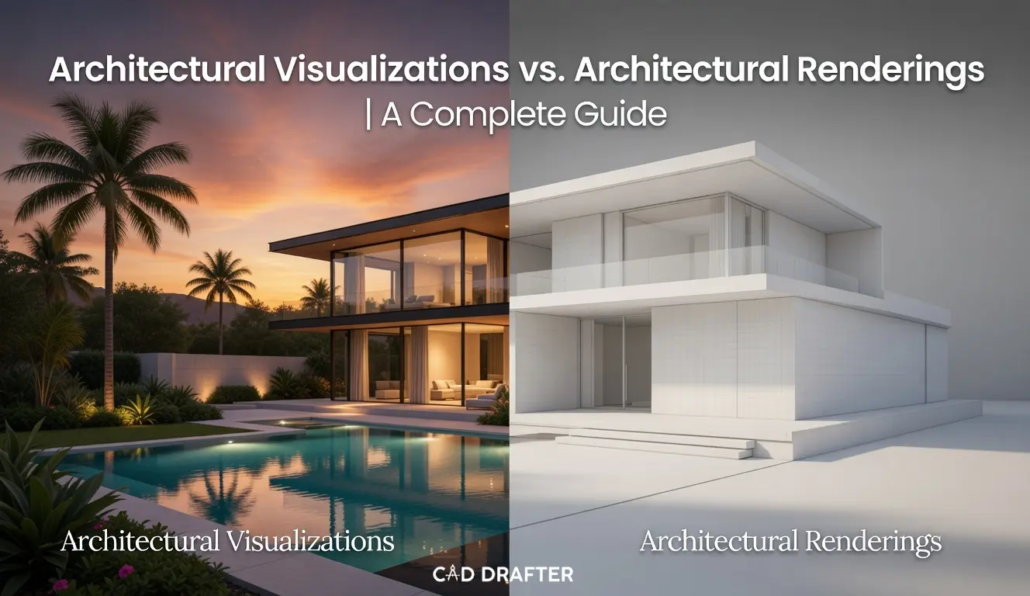
Architectural Visualizations vs. Architectural Renderings | A Complete Guide
If you are about to email a client and use the words rendering and visualization interchangeably, you might be leaving money on the table. Or worse, you might be promising a Ferrari when you’re building a Honda Civic engine.
In AEC (Architecture, Engineering, and Construction), semantics aren’t just word games. They are scope definitions. They are price tags. They are the difference between a technical check-up and a marketing masterpiece.
Most people think they are the same thing. They aren’t.
A rendering is a calculation. A visualization is a hallucination designed to sell real estate.
One is a noun; the other is a strategy. One proves it can be built; the other proves it should be loved. In this guide, we are going to dissect the atomic differences between these two giants of the digital design world. We’ll look at the tech, the psychology, and why knowing the difference in 2026 is the secret weapon of top-tier firms.
What is an Architectural Rendering?
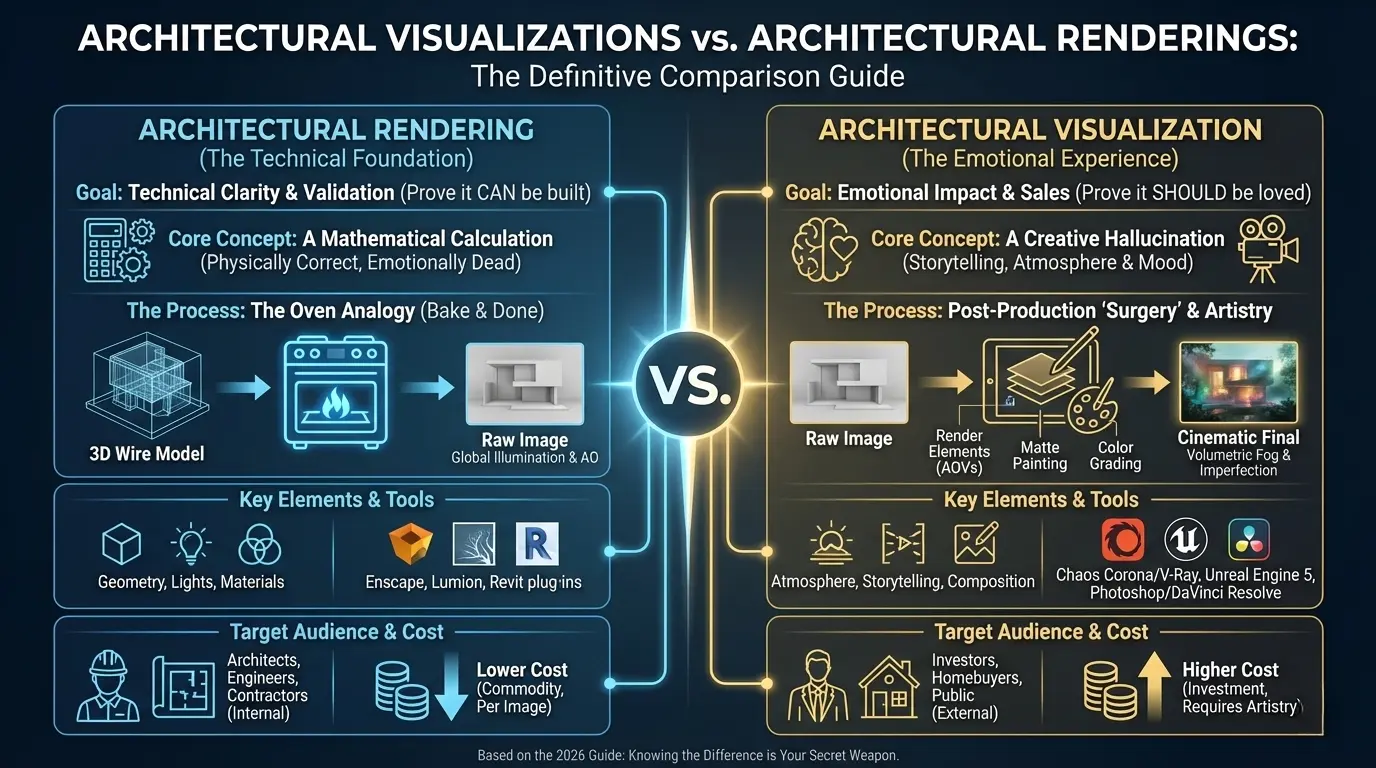
Let’s strip away the typical concepts. At its core, an Architectural Rendering is a mathematical event. It is the result of a computer simulating how light photons bounce off virtual geometry. It is cold, it is precise, and it is unapologetically technical.
When an architect asks for a rendering, they usually mean: “Show me that this beam doesn’t hit that duct.” Or, “Prove to me that the shadow from the neighbor’s building doesn’t kill the sunlight in the lobby.”
The Oven Analogy
Think of a rendering engine (like V-Ray, Corona, or Cycles) as a very expensive oven.
- The Ingredients: 3D models (polygons), textures (bitmaps), and lights (mathematical emitters).
- The Process: You put them in the oven and hit “Bake.”
- The Result: A raw image.
A pure rendering is often technically perfect but emotionally dead. The lines are straight. The sun is at a physically accurate 45-degree angle. The concrete looks like concrete. But does it make you want to buy the condo? Probably not. It looks like a video game from 2015. It lacks the human messiness that signals reality.
The Specifics of the Render
If there’s something wrong with the specifics of render, there’s an extensive possibility that CAD renders do not match with real materials. In a strict rendering workflow, the focus is on Physical Correctness:
- Global Illumination (GI): Calculating how light bounces from the floor to the ceiling.
- Ambient Occlusion (AO): The tiny shadows in the corners where geometry meets.
- BRDF Materials: Defining exactly how much light a surface reflects vs. absorbs based on real-world physics.
What is Architectural Visualization?
If rendering is the skeleton, Architectural Visualization (ArchViz) is the flesh, the makeup, the tailored suit, and the lighting in the room that makes you look ten years younger.
| Note |
| Visualization isn’t just about showing the building. It’s about showing the life inside the building. |
When a developer hires a studio for visualizations, they don’t care about the beam clearance. They care about the Pre-Sales. They need an image that stops a thumb from scrolling on Instagram. They need a Hero Shot that makes a potential buyer feel a pang of jealousy that they don’t live there yet.
The Psychology
Visualization introduces elements that have nothing to do with architecture and everything to do with emotion:
- Atmosphere: Fog, rain, “God Rays” (volumetric lighting), and dust motes dancing in the air.
- Imperfection: A smudge on the window. A rug that is slightly kicked up at the corner. A coffee cup has left a ring on the table.
- Storytelling: Why is there a tricycle in the driveway? Who left that book open on the patio? Visualization invites the viewer to invent a narrative.
In 2026, the best visualization artists aren’t just 3D modelers. On the contrary, they are digital photographers. They understand Composition, Color Theory, and Focal Lengths.
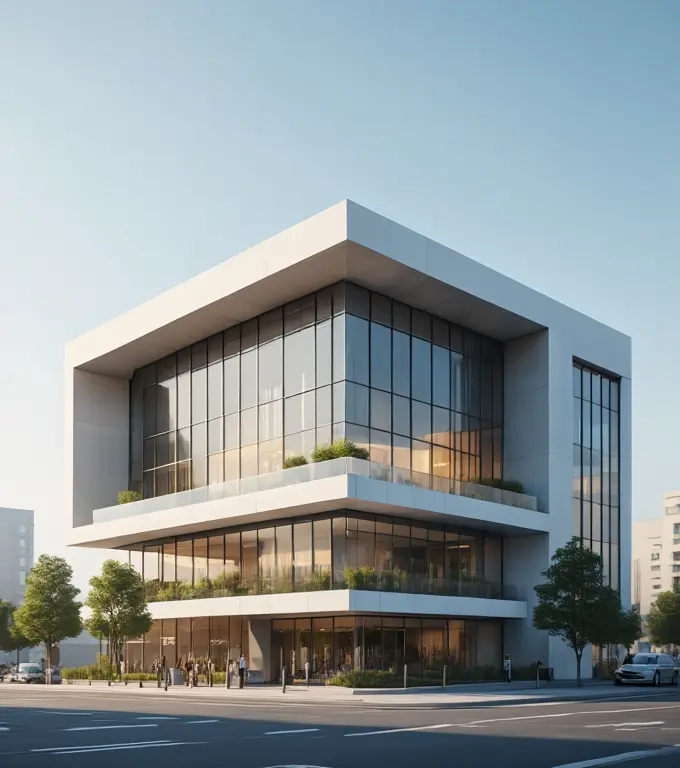
A Complete Comparison
Let’s break this down. If you are hiring a freelancer or a studio, this table is your cheat sheet to understanding what you are actually paying for.
Rendering vs. Visualization
| Feature | Architectural Rendering | Architectural Visualization |
| Primary Goal | Technical clarity & validation | Emotional impact & sales |
| Target Audience | Architects, Engineers, Contractors | Investors, Homebuyers, Public |
| Key Elements | Geometry, lighting, materials | Mood, atmosphere, storytelling |
| Post-Production | Minimal (Color correction only) | Heavy (Matte painting, color grading) |
| Software Focus | Revit, SketchUp, Enscape | 3ds Max, Unreal Engine 5, Photoshop |
| Cost | Lower (per image) | Higher (requires artistry) |
Tools of the Trade in 2026
You can’t talk about the output without talking about the engine. The software landscape has bifurcated. We all know about open-source CAD software for rendering and drawings. However, there are some specific names in the market as well. We have Real-Time tools for rendering and Cinematic tools for visualization.
The Rendering Workhorses
For pure rendering, speed and integration are king.
- Enscape: It plugs directly into Revit or Rhino. You press a button, and boom, you have a render. It’s fast, clean, and perfect for design meetings. But it rarely wins awards for Mood.
- Lumion: The bridge. It’s easy to use and has a massive library of trees and cars. It produces great renders, but sometimes lacks the subtle micro-detail of high-end viz.
The Visualization Titans
For high-end visualization, we need control over every single photon.
- Chaos Corona / V-Ray: The industry standards for Offline Rendering. They allow artists to tweak the Subsurface Scattering of a grape on a fruit platter. This is where the photorealism lives.
- Unreal Engine 5.4: The disruptor. Originally for video games, UE5 is now the gold standard for interactive visualization. With Nanite (infinite geometry) and Lumen (real-time global illumination), it allows clients to walk through a visualization like a video game, but with movie-quality lighting.
Need Stunning Visuals for Your Project? Talk to Our Architectural Experts Today!
The Uncanny Valley and How to Cross It
Here is a specific example of why the difference matters. Imagine a Rendering of a luxury living room.
- The sofa is perfect.
- The cushions are mathematically symmetrical.
- The light is white and even.
- Result: It looks like a furniture catalog. It feels sterile. Your brain knows it’s fake because reality isn’t perfect.
Now, imagine the Visualization of that same room.
- The artist uses a Cloth Simulation to wrinkle the cushions slightly, as if someone just stood up.
- They add a “Normal Map” to the floor to show microscopic scratches where the chair legs drag.
- They change the lighting temperature to 2700K (warm sunset) and add a “Volumetric Fog” pass to catch the light streaming through the sheer curtains.
- Result: You can smell the coffee. You can feel the warmth. You want to sit down..
Why Imperfection is the Holy Grail
In 2026, the pursuit of perfection is over. The pursuit of Imperfection is in.
Computers love straight lines. Nature hates them. A rendering engine will naturally produce sharp, 90-degree corners on a marble countertop. But in the real world, that corner is slightly rounded (beveled) to prevent chipping. It catches a glint of light.
The Digital Grime Layer
Top-tier visualization artists actually have folders on their hard drives labeled “Grime.”
- Fingerprints: Added to glass surfaces in the specular channel.
- Dust Maps: Added to lens edges to mimic a real camera lens.
- Chromatic Aberration: That slight purple/green fringing you see in real photography at high contrast edges.
If you deliver a clean render to a high-end developer today, they might reject it for looking too CGI. They want the grit. They want the reality.
The Animation Factor
We are no longer just making JPEGs. The Visualization category has expanded to include Cinematics. A rendering is a snapshot. A visualization is a trailer.
Using tools like DaVinci Resolve for color grading, artists are producing 60-second films that rival Hollywood productions. They use:
- Parallax slides: Moving the camera slightly to show depth.
- Rack Focus: Shifting focus from a foreground flower to the background building.
- Sound Design: Yes, sound. The sound of wind in the trees or distant city traffic turns a visual into an experience.
If you are selling a $20 million penthouse, a static render isn’t enough. You need the movie.
Why Visualization Costs 3x More (And Why You Should Pay It)
Let’s talk money. It’s the elephant in the room. You get a quote for a Rendering from a freelancer on Upwork for $300. Then you get a quote for a Visualization from a boutique studio in London or New York for $3,500.
You wonder It’s the same building, the same camera angle. But Why is there a zero added to the end? Here is the brutal truth: You aren’t paying for the pixels. You are paying for the ROI (Return on Investment).
A $300 rendering shows the geometry. It’s a commodity. It proves the building fits on the lot.
A $3,500 visualization sells the lifestyle. It’s an asset and it convinces a wealthy investor to drop $2 million on a penthouse that hasn’t been built yet.
The Sales Tool Argument
Think of a standard rendering as a blueprint with textures. It’s informative. It’s dry. It appeals to the logical brain.
Now, think of visualization as a supercar commercial. It appeals to the lizard brain.
- The Rendering: “This kitchen has a marble island and oak cabinets.”
- The Visualization: “This is where you will drink wine with your friends while the sun sets over the skyline, and you finally feel like you’ve ‘made it’.”
If your project is a public library or a parking garage, save your money. Get a rendering.
If your project is a luxury condo, a hotel, or a flagship retail store, the visualization is your primary salesperson. It works 24/7 on your website.
The “What Are You Paying For?” Breakdown
| Factor | Basic Rendering ($300–$800) | High-End Visualization ($2,500–$10,000+) |
| Artist Skill | Technician (Knows software) | Photographer / Director (Knows light & composition) |
| Lighting | Standard “Sun & Sky” preset | Custom HDRI + Manual “Fill Lights” for drama |
| Assets | Stock library furniture (Generic) | Curated designer pieces (Poliform, Minotti, B&B Italia) |
| Environment | Basic 3D trees | Custom ecosystem (Scanned vegetation, specific species) |
| Revisions | “Move the chair.” | “Change the mood from morning to ‘Golden Hour’.” |
| Deliverable | A picture of a house. | A feeling of home. |
The Post-Production Black Magic
Here is a secret that 3D artists guard with their lives: The raw render is ugly.
Even from a $50,000 workstation running V-Ray 6, the image that comes out of the oven is often flat, washed out, and slightly too sharp. It looks extensively digital.
This is where Visualization separates itself from Rendering. It enters the Post-Production Phase. This is the Photoshop Surgery where the soul is injected into the image.
The Passes Workflow
A visualization artist doesn’t just render one image. They render a stack of data channels called Render Elements or AOVs (Arbitrary Output Variables).
- Reflection Pass: Just the shiny parts.
- Refraction Pass: Just the glass.
- Z-Depth: A black-and-white map of how far away objects are.
- Wire Color: A map that lets you select every chair instantly.
They take this stack into Adobe Photoshop (for stills) or DaVinci Resolve (for animation) and start painting.
The Matte Painting Technique
Why model a forest background if you can just paste a photo of a real forest?
- The Trick: In high-end viz, the background mountains, the sky, and often the distant neighbors aren’t 3D. They are photographs expertly blended into the 3D scene.
- The Plate: Artists often use drone photography of the actual site and composite the 3D building into it. This guarantees the view out the window is 100% accurate to what the buyer will see.
Color Grading
Have you ever noticed that action movies are blue and orange? That’s Color Grading. Visualization artists use LUTs (Look Up Tables) to shift the colors of the render.
- Teal & Orange: Pushes shadows blue and highlights warm. Instant drama.
- Bleach Bypass: High contrast, low saturation. Gritty, urban, industrial.
- Kodak Portra 400: Mimics the grain and warmth of old film stock. Makes the architecture feel nostalgic.
A rendering tells you the color of the paint. Whereas a visualization shows how the paint feels at 6:00 PM in October.
Nemesis Of Visualization: The Walking Business Man
Nothing kills a beautiful architectural image faster than a badly placed 3D human.
You know the one. He’s wearing a generic suit. He’s holding a briefcase. He’s walking with a stiff, robotic gait that suggests he is either an alien or urgently needs a bathroom. He is the “Walking Business Man.” And he is the arch-nemesis of good visualization.
The Uncanny Valley
Our brains are hardwired to recognize human faces. If a 3D person is 99% realistic, that missing 1% makes them look like a zombie. It triggers a “revulsion response.”
Visualization solves this in two ways:
- The “Ghost” Method:
Instead of trying to be real, go abstract. Use Long Exposure motion blur. The people become semi-transparent streaks of light and color.
- Why it works: It suggests activity and energy (“hustle and bustle”) without distracting the eye from the architecture. It says, “This place is alive,” not “Look at this fake person.”
- The “2D Cutout” (The Photoshop Method):
Top studios don’t model people. They photograph them.
They have libraries of thousands of high-res photos of real people (shot in studios with matching lighting) and composite them into the 3D scene.
- The Art: It’s not just pasting a person. It’s matching the perspective, the shadow direction, and the color temperature. If the sun is coming from the left, you can’t use a cutout of a person lit from the right. It breaks the illusion instantly.
The Story of the Entourage
In a Rendering, a person is a scale reference. However, In a Visualization, the person is a protagonist.
- Why is that woman running? Is she late? Is she exercising?
- Why is that couple laughing on the balcony?
- Why is the child dropping their ice cream?
Specifics matter. Placing a Golden Retriever in a family home increases engagement by roughly 15%. Placing a Porsche in a driveway signals Luxury faster than any marble texture ever could.
The Client’s Role: Garbage In, Garbage Out
We have talked about the artist. Now let’s talk about you (the client). The workflow for a Rendering is rigid. The workflow for a Visualization is fluid. If you try to manage a visualization project like a construction document set, you will fail.
The Brief Difference
- Rendering Brief: Here are the DWG files, the material schedule, and the furniture layout. Please execute.
- Visualization Brief: Here is the feeling we want. Here is a Pinterest board of ‘Moody Scandinavian Cabins.’ We want the lighting to feel like a rainy Sunday morning. The target demographic is young tech professionals who drink oat milk lattes.
The Feedback Loop
The biggest friction point in visualization projects is micromanagement.
- Bad Feedback: “Move that shadow two inches to the left.” (This requires recalculating the entire sun position).
- Good Feedback: ” The image feels too dark/oppressive. Can we make it feel more welcoming?” (This allows the artist to use their expertise to adjust exposure, contrast, or fill lights).
Pro Tip: If you are paying for high-end visualization, treat the artist like a Director of Photography, not a CAD drafter. Give them the goal (Make it look expensive), not the method (Change the RGB value of the sky).
The Future And AI
It is 2026. We cannot ignore the elephant in the room: Artificial Intelligence. Tools like Midjourney v7, Stable Diffusion, and Veras have terrified the industry.
There would have been a time when you started wondering Why pay an artist $3,000 when I can type Modern glass house in a forest, photorealistic, 8k, and get 4 variations in 30 seconds for free?
The Ideation vs. Precision Trap
AI is the ultimate Visualization tool, but a terrible Rendering tool.
- Visualization: AI is incredible at mood, composition, and style. It can generate 50 “Vibes” for a project in an hour. It is perfect for the Conceptual Phase.
- Rendering: AI (currently) cannot reliably understand your specific floor plan. It hallucinates windows where there are walls. It adds columns that don’t exist structurally.
The Hybrid Workflow: Neural Rendering
The smartest firms in 2026 aren’t fighting AI; they are eating it.
They use:
- Block Models: Build a super-simple grey box model in SketchUp to get the exact geometry and camera angle.
- AI Overlay (ControlNet): Use AI to “paint” textures and lighting over that specific geometry. “Turn this grey box into a brick wall with ivy.”
- Human Polish: An artist takes that AI output into Photoshop to fix the weird artifacts (like the AI giving a person 7 fingers) and color grade it.
The Verdict: Which One Do You Need?
We are nearing the finish line. You have a project. You have a budget. Do you need a Rendering or a Visualization?
Use a Rendering When:
- You are solving a design problem (e.g., checking sightlines).
- You are communicating with a contractor or engineer.
- You need to verify material clashes.
- The budget is tight (<$1,000).
- The audience is internal (your boss, your team).
Use a Visualization When:
- You are raising capital or selling off-plan.
- You are entering a design competition.
- You need public approval (City Council meetings).
- The audience is emotional (homebuyers, donors).
- You want to win.
5 Cheat Codes for Better Visuals (Regardless of Budget)
Before we wrap up, here are five specific things you can ask for right now to make your images better, whether they are $500 renders or $5,000 masterpieces.
- Lower the Camera: Stop putting the camera at 5’6″ (eye level). Drop it to 3 feet (waist level). It makes the ceiling feel higher and the space more heroic. It’s the magazine look.
- Turn on the Lights (Even in Daytime): Ask the artist to turn on the interior lamps even if it’s a daytime shot. The warm orange glow of a lamp contrasts beautifully with the cool blue daylight. It’s called Color Contrast.
- Wet the Pavement: If it’s an exterior shot, ask for Wet Asphalt. Reflections on the ground double the visual interest and make the light bounce around. It’s an old Hollywood trick, every street in a movie is wet for a reason.
- Use Depth of Field: Blur the foreground slightly. Put a blurry plant leaf or a chair back in the very front of the camera. It forces the viewer’s eye to focus on the building in the middle ground.
- Crop It: Don’t show the whole room. Show part of the room. A cropped image feels like a glimpse. A wide-angle image feels like a security camera.
Conclusion
Both rendering and visualization have their own perks. Most contractors prefer visualizations when it comes to large-scale construction projects. However, if you need a raw structural model of the building, renderings are your best bet! These would serve the purpose ideally without costing you a fortune. If you are still confused about the selection, give us a call and let our experts suggest the best option for your construction site!

